Machine setup
Hardware
This is pretty standard: MacBook Air M1 for private use and a MacBook Pro M2 14’' for work. I have a clear preference for choosing at most 14’' notebooks as I find them best for travel or working from a coffee/co-working space.
For password management I use a YubiKey and pass cli.
Dotfiles & software
I’m a fan of the terminal and spend the majority of my time here. I use alacritty + tmux + neovim for that. I’m also a fan of a tiling window manager - currently I use Amethyst for that on my Mac. Some other curated tools can be found in the excerpt of my setup script below.
Worth calling out: To capture my notes, I was using vimwiki for a while but moved to telekasten since switching to neovim.
#!/bin/sh
if [ ${#@} -ne 0 ] && [ "${@#"--help"}" = "" ]; then
 printf -- 'This will install all the curated setup\n'
 exit 0
fi

brew install alacritty
mkdir -p ~/.config/alacritty/themes
git clone https://github.com/alacritty/alacritty-theme ~/.config/alacritty/themes
brew install alfred
brew install amethyst
brew install tmux
git clone https://github.com/tmux-plugins/tpm ~/.tmux/plugins/tpm
brew install bash
brew install zsh
echo 'remember to install zsh4humans'
brew install git
brew install remotemobprogramming/brew/mob
brew install htop
brew install neovim
git clone https://github.com/LazyVim/starter ~/.config/nvim
rm -rf ~/.config/nvim/.git

brew install fd
brew install git-lfs
brew install wget
brew install gpg
brew install pinentry-mac
brew install coreutils
brew install autojump
brew install pass
brew install ykman
brew install krisp
#quick code analysis
brew install cloc
brew install scc

brew install direnv
brew install bmon
brew install lsd
brew install ripgrep
#(...) Some more stuff
Office setup
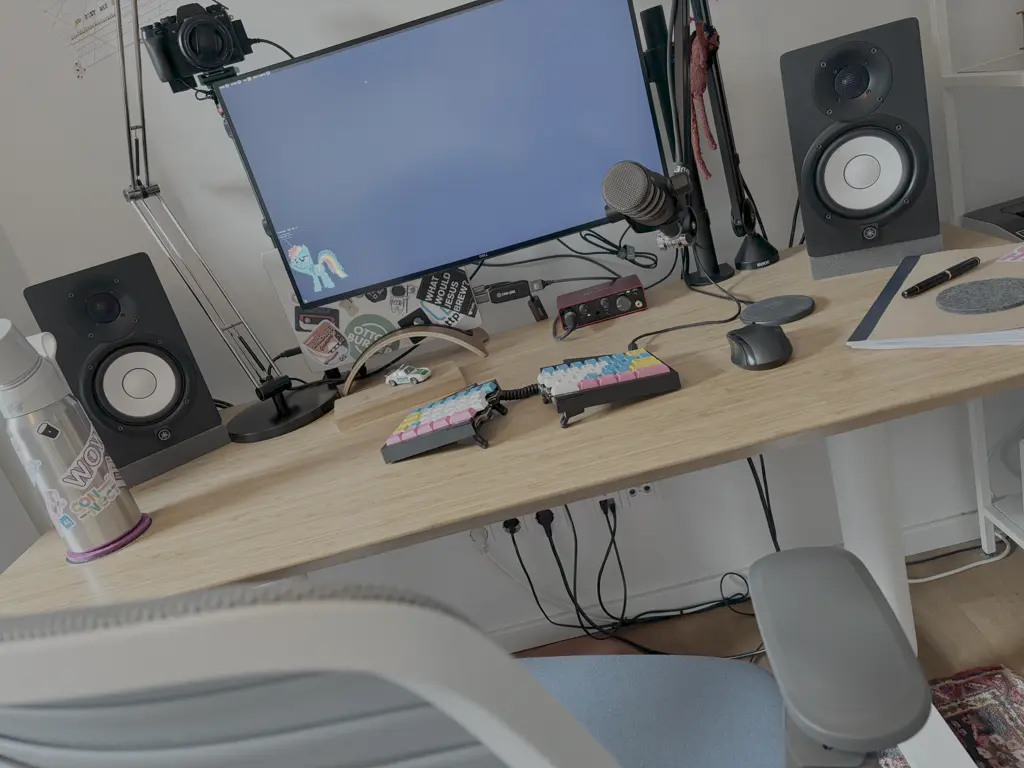
As a 100% remote-working person, I’ve decided to curate my home-office setup and while I was doing so, I’ve stumbled upon some people describing their choices and this helped me a lot. Thus I felt a bit inspired to do the same.
Display
I’m a one display kind of a person. I find this setup most ergonomic for me and the work that I’m currently doing. I’ve settled on a 27’’ 4K monitor from Dell (U2720Q) that is also able to charge my notebook (this is a key characteristic as I try to have as few cables as possible). Using a 4K non-ultrawide monitor makes sharing the whole screen a bit easier for others as the scaling works out of the box on the receiving end. I’ve been using this monitor since 2020 and cannot really find a reason why I should change that.
Microphone
I value audio quality and go the extra mile to provide a very good level of it on the receiving end. For that reason, I’ve got the PodMic from RØDE. Apart from being really good at capturing me talking, it’s definitely a conversation starter with people that haven’t yet seen me in any calls (Do you do any podcasting? - No, I don’t / I just try to make my remote presence as good as possible).
Audio Interface
The mic I’ve listed above uses an XLR connection, so I also needed an audio interface to run it with my notebook. I went with Focusrite Scarlett Solo. (Talking about going down the rabbit hole…)
Webcam
For a while I was using the Logitech Stream Cam but as I also enjoy taking photos, I had a Fujifilm X-T2 on my shelf. I once found out that Fuji offers an official software to operate the camera as a webcam. I liked this a lot and this became my standard setup. Sadly some mac update killed this and I needed to switch to a capture card (Elgato Cam Link).
Speakers
As I prefer to not wear headphones when not necessary and at home I don’t have any co-workers to worry about, I use Yamaha HS5 monitors for calls and enjoying music while coding alone.
Light
Sometimes I need additional lighting while recording or in a call, for that I’ve got this Logitech Litra Glow light. It’s very straightforward in its use and what I like the most, is the ability to dial down how intense it is.
Keyboard(s)
(Daily) UHK 60 v1
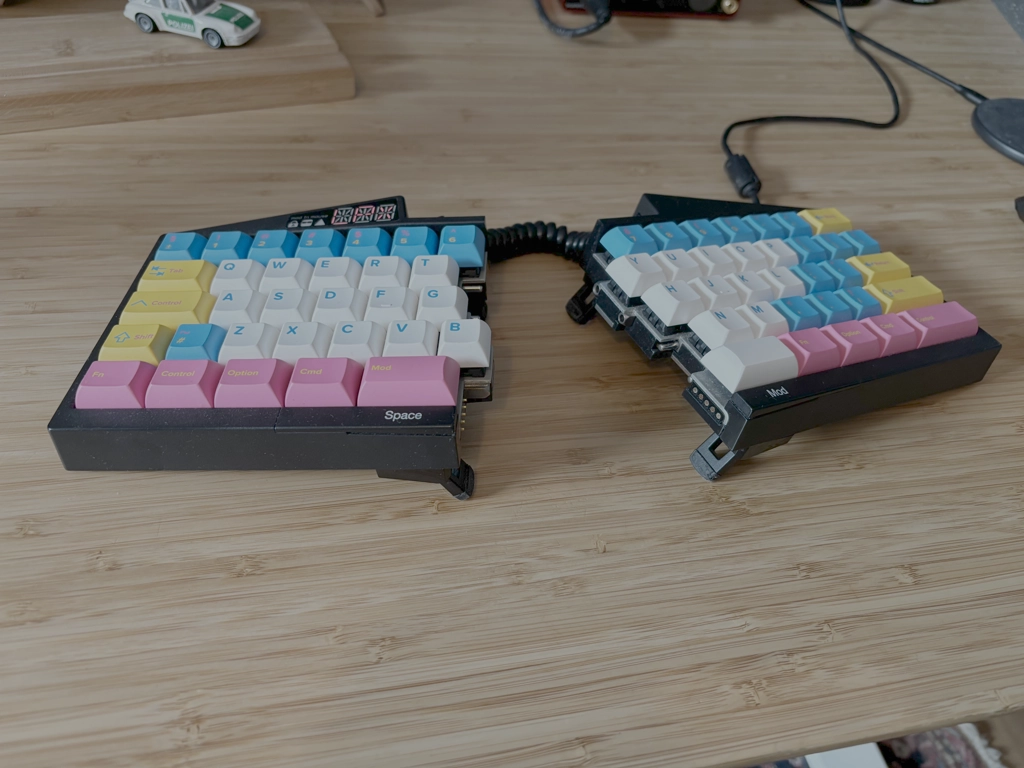
…with Cherry MX brown switches and custom key caps by yuzu. I remember when I learned about this keyboard/project while listening to the Changelog podcast in 2015 and decided to join the crowd funding campaign. A few years later it finally arrived and I really fell in love with it. Main reason to go with UHK was ‘staying on the home row’ & the split design to prevent RSI from happening.
(Occasional) Keychron K6
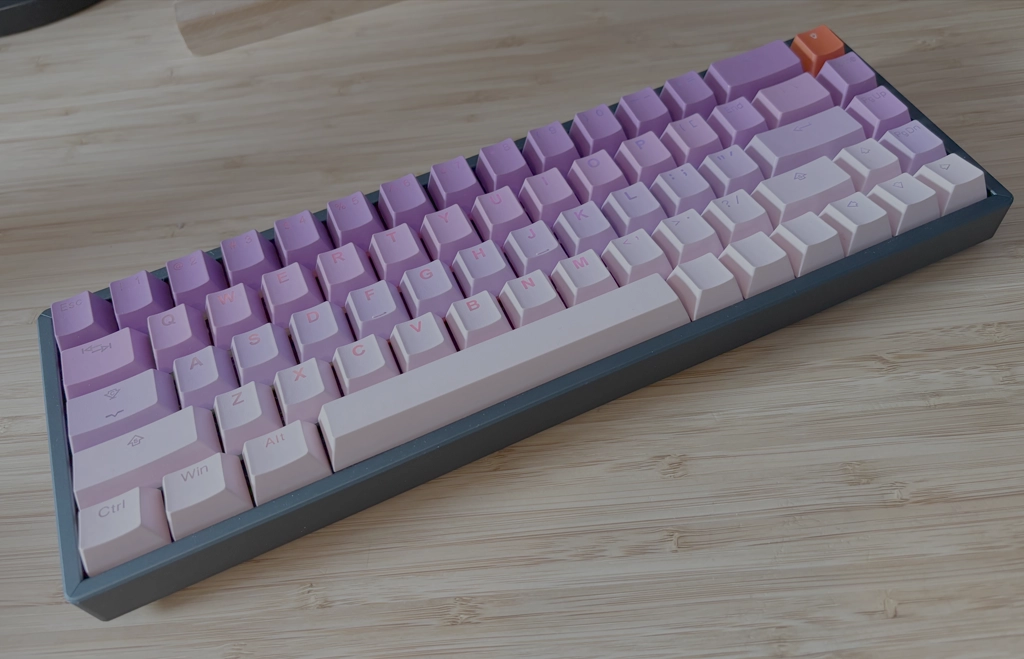
…with Glorious Panda Pre-Lubed switches and key caps from Tai-Hao. After some time, I thought that it would be really nice to have a wireless keyboard with hot-swappable switches so that I could have one cable less to connect and also the ability to experiment a bit with different kinds of switches. I really like Keychron keyboards as they have really good value-for-money ratio. The only problem: as this is not a split keyboard, whenever I use it for a longer period of time my wrist/arm will start to complain.
Standing desk
A little Ikea hack combining a small bamboo top (I have a rather limited space. Thus, I went with a desk that has a small footprint) with height adjustable frame/legs. Officially those two do not fit, but one can easily drill additional holes in the bamboo top so that it can be mounted on the frame. If you ask yourself: Why should you even bother to deal with a standing desk? Short answer: prolonged sitting kills.
Chair
Having a proper office chair with good back support is a really important bit of the setup. For a while I was working using a simple Ikea chair and I’ve quickly developed pain in my lower back. Instead of spending a small fortune on a Herman Miller chair, a friend of mine recommended looking into Steelcase office chairs. I ended up with a white version of Series 1 as it feels less corporate.
Rug
Don’t ask me why, but I wanted to have a rug under my desk (although I’m not a drummer / I feel a bit like one). A friend of mine discovered that her grandpa, who sailed on a commercial vessel in the past, left her a lot of rugs as he often brought some while traveling back from another part of the world. What a coincidence, right?